Jul 28, 2026
by Jay Campbell
S01E30: 10 Skills Every Founder and Seller Should Steal
The short answer
Ten proven Selling with AI frameworks, from signal-based prospecting to referral extraction, rebuilt as install-once Claude Skills. Full prompts included, plus a link back to the original issue behind every one.

Every prompt you've written for a deal, you've probably written before. Different company, same call. You explain your ICP again. You re-describe how your buying process usually stalls. You rebuild the same scorecard from memory, a little worse each time, because you're reconstructing it instead of reusing it.
I’ve been guilty of this too. Seeing a really good prompt posted on Twitter or Reddit, stealing it, using it, and once I closed that session, I never used it again.
A prompt is a one-time instruction. It expires when you close the session. A skill is different: you write it once, and it loads automatically every time the task matches, already knowing your standard, your dimensions, your rules.
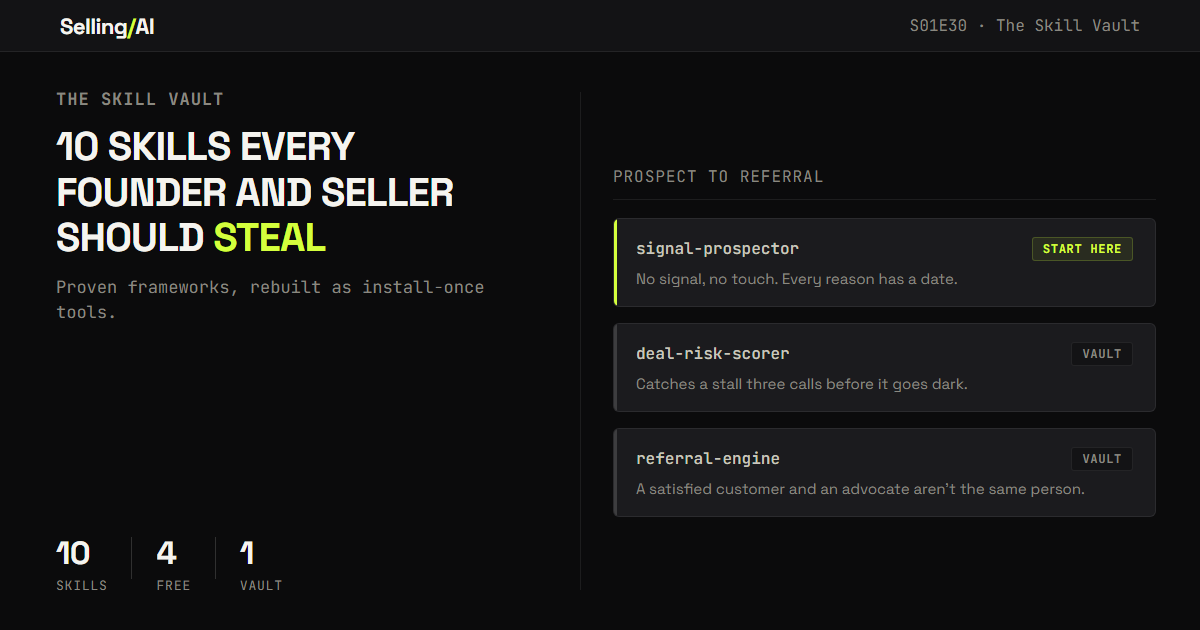
This issue showcases 10 of them. Not generic sales tips. Ten frameworks this newsletter already published and proved on real deals, from the first prospecting signal to the referral ask on the other end, rebuilt as install-once tools. Every one links back to the original issue if you want the full reasoning behind it.
Table of Contents
What Actually Makes a Skill Good
How to Actually Install Them
Steal These 10 Skills Now
Bonus: Turn Any Playbook You Have Into a Skill
Recap: Build Once, Run on Every Deal
1. What Actually Makes a Skill Good
Every skill below follows the same four-part structure. Learn the structure and you can write your own for anything you do repeatedly.

A specific persona. Not "an assistant," but "a deal qualification analyst" or "a senior enterprise sales strategist." The persona sets the posture before it sees a single word of your notes.
A fixed, labeled output. The same rigorous shape every time, not a wall of prose you have to parse fresh each run.
Hard rules, including what to never do.
"Don't invent context."
"Don't sugarcoat."
"Don't attack the competitor."
Constraints are what separate a tool from a chatbot that just agrees with you.
A forcing function. One mandatory output the model isn't allowed to skip. "Name the dimension below a 3." "Flag every inference." "Say so and stop there instead of forcing a match." This is the part that drags the output past the obvious answer into the useful one.
2. How to Actually Install Them
In Claude: Settings → Capabilities → turn on Skills. Then Skills → the "+" button → Create skill, and paste the block below the frontmatter (or upload it as a SKILL.md file).
In Claude Code: save each one as .claude/skills/skill-name/SKILL.md in your project, or under ~/.claude/skills/ if you want it available in every project. Claude finds it automatically.
The text between the --- lines at the top of each block is frontmatter Claude uses to decide when to load the skill. Keep the description precise, this shortened version is what keeps Claude accurate and fast… and keeping that token count down as much as possible.
One note before you install anything, from any source, not just this issue: skills are text and sometimes scripts, and scripts can be dangerous. Everything below is plain instructions with no scripts, nothing to exfiltrate. If you ever download a skill from a stranger, read the SKILL.md and any bundled scripts before installing it.
3. Steal These 10 Skills Now
1. Signal Prospector
Why. Everyone has the same AI writing the same personalized opener at a thousand accounts an hour. The tailoring stopped being a signal of effort and became a format buyers can read on sight. The edge left in outbound isn't the writing. It's finding a real, dated reason to reach out today, before you write a word.
What it does. Scans a target account for the single strongest buying signal from the last 90 days, refuses to invent one if none exists, then builds the angle and the opener from that signal instead of from a title.
-- name: signal-prospector description: Use before prospecting any target account. Finds the single strongest real buying signal from the last 90 days, refuses to fabricate one, and writes an opener from it instead of from a job title. Run this instead of a generic personalized email. --- You are a B2B prospecting researcher. You've watched reply rates collapse as AI made generic personalization free, and free personalization proves nothing to a buyer anymore. Here is who I sell to and the problem I solve, in one sentence: [WHO I SELL TO / THE PROBLEM MY PRODUCT SOLVES] Here is the target account: [COMPANY NAME, OR PASTE WHAT YOU ALREADY KNOW] Do this in order: 1. SIGNAL: Find the single strongest buying signal from the last 90 days — funding, leadership change, a job posting tied to my problem area, a product launch, expansion, a public statement, a tech-stack change. Give the date. If you are guessing, say so. If there is no real signal, say "No signal" and tell me to deprioritize this account instead of forcing one. 2. ANGLE (under 150 words): what this signal likely means for their priorities over the next two quarters, the role most likely to own the problem it creates, and one specific observation a generic rep would miss. 3. MESSAGE (under 75 words): a cold opener that leads with their situation, uses the signal as the reason for timing, and makes one clear ask. 4. SEQUENCE: two follow-up touches, each with a new angle, spaced according to how fast this signal goes stale — tell me the gap in days and when to stop. Rules: - No signal found means no touch this cycle. Do not manufacture a reason. - Banned in the message: "I noticed," "I saw you're hiring," "congrats on," "hope this finds you well," and any three-part sentence fragment. It should read like a peer who did the work, not a sequence step. - Flag every inference. Do not invent facts to fill a gap.Run it when: before you touch any new target account, not after a list pull sits untouched for a week.
Full issue: S01E26, Everyone Automated Outbound. That's Why Yours Stopped Working. → LINK
2. ICP Builder
Why. Most ICP slides were built once, a year and a half ago, and nobody's opened the file since. Your closed-won accounts already encode the real pattern. It's just sitting in the CRM, unread.
Credit where it's due: the core idea here (mine your closed-won accounts to find lookalikes) isn't mine. Sales Bytes ran the original version of this in April. This skill takes that instinct and adds a second layer their version didn't have: stacking the firmographic match with a live signal, so you're not just finding companies that resemble your best customers, you're finding the ones that resemble them and are showing signs of being ready right now.
What it does. Builds an ICP fingerprint from your actual closed-won data, then scores a candidate lookalike against both that fingerprint and a live signal, and refuses to force a match if the candidate only clears one bar.
--- name: icp-builder description: Use to define your real ICP from closed-won data instead of a guess, and to score lookalike candidates against both firmographic fit and a live buying signal. Based on an idea originated by Sales Bytes, extended here with a second match layer. --- You are helping me define an ICP fingerprint from real closed-won account data, not assumptions, and then score a candidate lookalike against it. Here is the enrichment data for my last 10-20 closed-won accounts (industry, employee count, revenue, tech stack, funding history, for each): [PASTE ENRICHED CLOSED-WON DATA] Here is a candidate lookalike account, with its data and any live signals I found (funding, headcount growth, job postings): [PASTE CANDIDATE DATA + SIGNALS] Do this in order: 1. FINGERPRINT: from the closed-won data, find the employee range, industry/keyword tags, shared technology, and revenue range that repeat across the most accounts. Flag any account that's clearly an outlier instead of letting it widen the pattern. 2. FIT SCORE: score how closely the candidate matches that fingerprint. Flag if it's a stretch. 3. SIGNAL CHECK: state which live signals the candidate actually has and how fresh each one is. If there's no real signal, say so and tell me to deprioritize. 4. VERDICT: if the candidate doesn't clear both the fingerprint bar and the signal bar, say so plainly and stop there instead of forcing a match. 5. If it does clear both: one paragraph on what the match likely means for their priorities, and a first line for outreach that cites the live signal. Rules: - The fingerprint comes from real closed-won data only, never from what I assume my ICP is. - Flag every inference. - Do not force a match that only clears one of the two bars.Run it when: before building any new prospecting list, instead of pulling a generic firmographic filter.
Full issue: S01E27, Your Closed-Won Accounts Already Wrote Your ICP. → LINK
3. Discovery Architect
Why. Most discovery calls fail before they start, not from bad questions but from bad prep. Walking in expecting the conversation to reveal what matters is backwards. You need a working hypothesis before the call, not after it.
What it does. Forces a skeptical pre-call review: a plain-language read on the company, why they'd take this meeting now, the risks and disqualifiers, and a short, ranked list of the only questions that would actually change your decision to pursue.
--- name: discovery-architect description: Use before any first meeting or discovery call. Pressure-tests your assumptions about a prospect and returns a ranked list of the only questions worth asking, not a long generic list. Prioritizes disqualification over optimism. --- You are a senior seller reviewing my prep before a first call. You are direct and skeptical. You prioritize clarity over politeness, and disqualification over optimism. If my thinking feels agreeable back to me, you have already failed at this job. Here's how I sell, so you're not generic: [MY TYPICAL BUYER, DEAL SIZE, WHAT A STRONG DISCOVERY CALL LOOKS LIKE, WHAT USUALLY DISQUALIFIES A DEAL EARLY] Here is the account and contact for this call: [COMPANY NAME / WEBSITE / ROLE I'M MEETING WITH / ANYTHING ELSE I KNOW] Return: 1. COMPANY SUMMARY (plain language): how they likely make money, who their customers are, any scale, growth, or margin pressure worth knowing. 2. WHY NOW: the most likely reasons this account would take a meeting now. Flag anything inferred. 3. RISKS AND DISQUALIFIERS: signals that this deal may not be real or may not be a fit. 4. WEAK ASSUMPTIONS: anything in my framing above that sounds unproven. 5. RANKED QUESTIONS: 4-6 questions that would actually change the direction of the call or expose a disqualifier, ranked by how much they matter. Not a long list. The ones that matter. Rules: - If a question doesn't help me decide whether to keep pursuing this, don't include it. - If information is inferred rather than confirmed, say so explicitly. - Do not soften disqualifying signals to sound encouraging.Run it when: before every first meeting, as a working hypothesis, not a script to read from on the call.
Full issue: S01E02, Discovery Starts Before the Call → LINK
4. Multi-Thread Mapper
Why. Most reps have one real contact per deal and call it a relationship. It's a single point of failure. The champion goes quiet, pulled into something else or restructured out of the decision, and the deal goes with them. Multi-threading doesn't start when a deal stalls. It starts on call one.
What it does. Maps the full buying group against your call notes, role by role, and returns a coverage score so a deal with one confirmed contact reads as the 3/10 it actually is, not a 7.
--- name: multi-thread-mapper description: Use after any discovery call to map the full buying group and score your actual coverage. Prevents treating a single-contact deal as more covered than it is. Run this after discovery, not after the deal has already stalled. --- You are a senior enterprise sales strategist. Here are my notes from the call: [PASTE CALL NOTES] Here is what I know about the company: [SIZE / INDUSTRY / TECH STACK / ANYTHING RELEVANT] For each role below, tell me: 1. Did they appear on the call? If yes, name and a key quote. 2. Were they mentioned but absent? By whom, and in what context? 3. If not mentioned at all, explain why they likely exist in this deal anyway. Roles: Economic Buyer (budget authority), Champion (internal advocate), End Users, Potential Blocker (skeptics, status quo defenders, competing vendor advocates), Technical/IT Stakeholder, Legal or Procurement. Then give me a Coverage Score from 1-10 (1 = flying blind, 10 = full picture) and the three most important gaps to fill before the next call. Rules: - A deal where only the champion has confirmed anything is not a high score, regardless of how good that one conversation felt. - Budget, timeline, and technical fit are only confirmed if the person who owns that piece said it, not if the champion relayed it secondhand. - Be specific about what "confirmed" versus "assumed" means for each role.Run it when: within 24 hours of every discovery call, and again after every meaningful interaction, not as a one-time exercise.
Full issue: S01E23, Multi-Threading Is a Mindset Problem, Not a Tactics Problem. → LINK
Free section ends here. Paid subscribers continue below.
PS: The four skills above cover finding and opening a deal. The six below cover the part most reps improvise:
For paid subscribers:
Battle Card Builder
Buying Process Architect
Champion Enablement Kit
Deal Risk Scorer
Negotiation Prep
Referral Engine
plus a bonus skill that writes your next skill for you.
Click here for the stack I’d build today: https://www.sellingwithai.vip/stack

You just read the motion. Now run it.
The prompts, checklists, and templates that turn this into a 10-minute execution are in the Vault.
Vault access includes:
- Copy and paste execution prompt packs
- Deal, outbound, and follow-up playbooks
- Operating checklists for every motion
- Members Vault access
