Jul 7, 2026
by Jay Campbell
S01E27: Your Closed-Won Accounts Already Wrote Your ICP.
The short answer
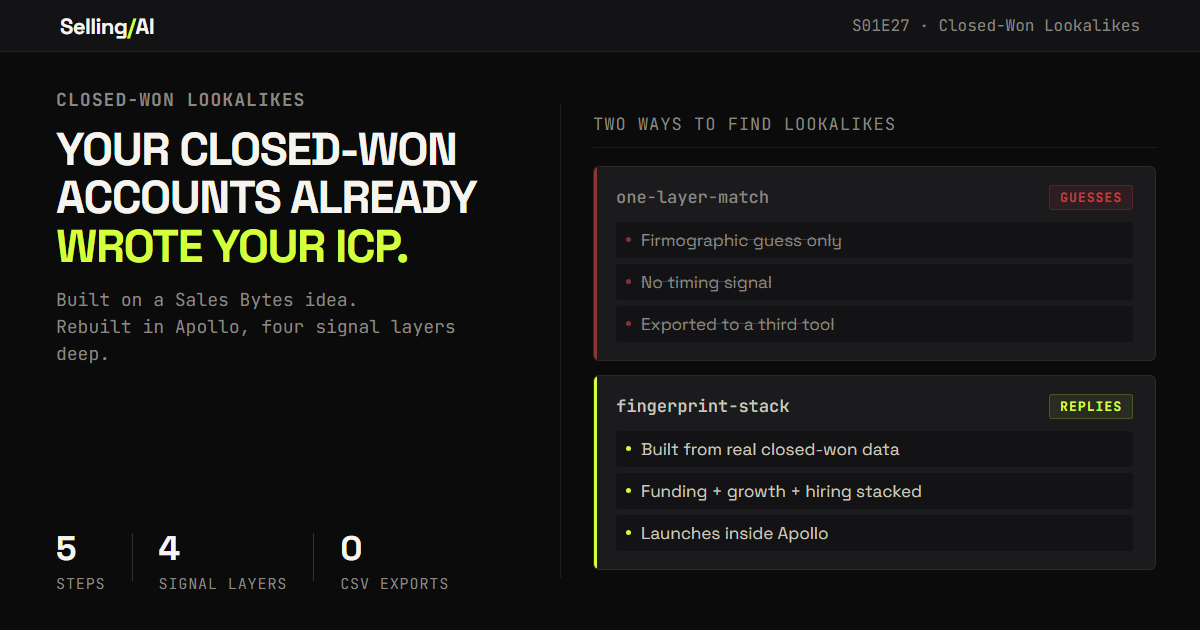
Your closed-won accounts already encode your ICP better than any slide deck ever will. Here's a 4-layer Apollo workflow, credit to Sales Bytes for the original idea, that stacks firmographic match with live signals to find real lookalikes instead of guesses. Prompts included.

Hopefully you read the last issue… the one where I displayed this image… but also, more importantly, made you aware of the new day/time to expect to hear from me…. and well… that day is today, and that time is now. Hi 👋
Hey there. Welcome to E27… which, as a reminder, is the first Tuesday edition of Selling with AI. All future issues will be sent at 12pm EST, every Tuesday.
Every sales org has an ICP slide. Industry, employee range, a tech stack bullet, maybe a logo wall at the bottom. Marketing built it a year and a half ago. Nobody has updated the file since.
Meanwhile the actual answer is sitting in the CRM, untouched. Every account that already said yes. Not a guess about who might buy. Proof of who did.
Credit where it's due: I didn't come up with this angle. Sales Bytes ran a piece in April called "The Closed-Won Lookalike Sequence." The core move: pull your closed-won accounts, find companies that look like them, let AI write the first line. That's the right instinct, and it's worth sending you to go read the original.

I want to take that instinct and push it past where the original workflow stops. Two changes. First, we're doing it in Apollo instead of Clay, because Apollo doesn't give you one "find lookalikes" button, it gives you the raw filters, and that's actually the upgrade. Second, we're not stopping at one match layer. We're stacking four.
This issue is for anyone doing their own pipeline generation with no research team behind them: founders, solo consultants, reps carrying their own book. If you've ever stared at a blank ICP field and typed something generic because you didn't know where else to start, this is for you.
Lovable just published a study on who is actually building software right now. The numbers tell the story better than I can:

Most builders on the platform come from non-technical backgrounds. A third are already earning revenue. 720 million monthly visits to products built by people who could not have shipped a line of code 3 years ago.
The old gatekeepers are gone. If you have been sitting on an idea, this is the moment.
Readers of this newsletter get an extra 10 credits at signup for using this link.
Start building on Lovable
Why One Match Layer Isn't Enough
Here's what "find lookalikes" actually does under the hood, in Clay or anywhere else. It takes your seed accounts, looks at firmographics, industry, headcount, maybe tech stack, and returns companies that score similarly on those dimensions. That's one layer: do you resemble my best customers on paper.
That's not a knock on the tool. It works. The problem is what it doesn't tell you: timing.
A company can match your ICP on paper and still be the wrong call this month. Same industry, same headcount, same tech stack as your best account, and also: no budget movement, no headcount growth, no open reqs anywhere near your problem. You'd message them anyway, because the lookalike button said yes, and you'd get the same silence you get from a cold list pulled off a filter.
The fix isn't a better lookalike algorithm. It's refusing to stop at one layer. A real match should stack firmographic fit with what's happening at that company right now, funding, growth, hiring, so you're not just finding companies that resemble your best customers. You're finding the ones that resemble your best customers and are showing signs of being ready.
Apollo is built for exactly this, because its organization search isn't a black box, it's a set of filters you control directly: employee count, industry keywords, tech stack, funding amount and date, headcount growth rate, and active job postings by title and date, all in the same search. You're not running four tools and stitching the output together. You're running one search with four conditions.
Step 1: Build the Fingerprint From What Actually Closed

Start with your last 10 to 20 closed-won accounts. Not your whole customer list, the recent ones, ideally the ones that renewed or expanded, since those are proof the fit was real and not just a fluke close.
Pull the real data on each one instead of guessing. Enrich each account and capture industry, employee count, revenue range, tech stack, and funding history. This is the part most people skip. They write "SaaS companies, 50 to 200 employees" from memory and call it an ICP. Your closed-won list will tell you the real pattern, and it's rarely the clean number you assumed.
Use this prompt once you have the enrichment data pulled:
You are helping me define an ICP fingerprint from real closed-won account data, not assumptions. Here is the enrichment data for my last 10-20 closed-won accounts: [PASTE ENRICHED ACCOUNT DATA: industry, employee count, revenue, tech stack, funding history, for each account] Find the pattern: 1. The employee count range that repeats across the most accounts
2. Industries or keyword tags shared by more than half
3. Any technology more than half of these accounts have in common
4. The revenue range these accounts cluster around
5. Any shared funding pattern (recent round, amount range) Flag any account that clearly doesn't fit the pattern and tell me to treat it as an outlier rather than let it widen the fingerprint. Return the result as a usable filter set: employee range, keyword tags, technologies, revenue range, funding range.
What comes back is your fingerprint. Not a slide. A pattern built from accounts that already paid you.
Step 2: Stack the Signals a Lookalike Button Can't See
This is the layer the original workflow doesn't have, and it's the whole upgrade.
Take the fingerprint from Step 1 and run it as an Apollo organization search. But don't stop at firmographic filters. Add at least one live signal layer in the same search:
Funding: a funding amount and date range, so you're only pulling companies that raised recently, which usually means fresh budget and fewer sign-off layers
Growth: a headcount growth percentage over a trailing window, so you're only pulling companies that are actively scaling, not flat or shrinking
Hiring: active job postings, filtered by title and posting date, so you're only pulling companies currently recruiting for the exact function your product touches
You can run all three in the same search alongside the fingerprint filters. That's the difference between "find companies like my best customers" and "find companies like my best customers who are also showing a reason to act this month."
The list this returns will be smaller than a firmographic-only lookalike search. That's correct. You went from resemblance to resemblance-plus-timing, and half your original match list won't clear the bar. Good. Those are the accounts that would have gone cold anyway.

Step 3: Write the Brief From the Stack, Not the Guess
Now you have accounts that match on paper and have a live reason to care. Turn that into a research brief that actually uses both.
Use this prompt per account:
For this account, here is what matched my closed-won fingerprint, and what's happening right now: Fingerprint match: [INDUSTRY, EMPLOYEE COUNT, TECH STACK OVERLAP WITH MY CLOSED-WON PATTERN] Live signal: [RECENT FUNDING AMOUNT/DATE, HEADCOUNT GROWTH %, OPEN JOB TITLES AND POST DATES] Here are my closed-won case studies, one line each, with the specific problem each account hired me to solve: [LIST YOUR CASE STUDIES] Do three things: 1. Pick the closed-won case study closest to this account's profile and signals, and say why in one sentence
2. Write a one-paragraph brief on what this fingerprint-plus-signal combination likely means for their priorities right now
3. Write the first line of a cold email that names the live signal as the reason for timing and references the matched case study, without naming the client unless I confirm that's OK Be specific. Flag every inference. If none of my case studies actually fit say so instead of forcing one.
The output reads nothing like a generic "noticed you're growing" opener, because it isn't guessing. It's citing a real pattern match plus a real, dated signal, and pointing at the closed-won proof that you've solved this exact shape of problem before.
Step 4: Match the Buyer, Not the Account
A company match means nothing until you have the right person. Search for people at the matched accounts using the same discipline: filter by seniority and title, and where it's useful, by department headcount, so you're not guessing "VP of Data" off a LinkedIn search and hoping.
Match against the specific role that owns the pain your closed-won case study solved, not a generic title guess. If your best customers bought because a Head of RevOps owned the problem, search for that title specifically, not "operations leader" broadly.

Step 5: Launch It Without Leaving the Platform
The original workflow ends with "push to your sequencer," a CSV out of one tool and into Salesloft, Outreach, or Smartlead. That handoff is where lists go stale and formatting breaks.
Apollo skips it. Build the sequence in the same place you built the list: a short multi-step sequence (email, a LinkedIn touch, a call task) added directly against the matched contacts, using the brief from Step 3 as the first-touch content. Find, match, brief, and send, in one workspace, with nothing exported in between.
Why This Works
A fingerprint built from your own closed-won data beats a black-box match, because you can see every criterion that built it and keep refining it as you close more deals. It gets more accurate over time instead of staying static like a slide.
Stacking live signals on top of the fingerprint means you're not finding companies that merely resemble your best customers. You're finding the ones that resemble your best customers and have a reason to act this month. That's the difference between a list and a list with a shelf life you can actually work.
Doing it in one platform removes the handoff points where lists quietly rot. Every export-then-import step is a step where something gets dropped or goes stale before it reaches a sequence.
And if you're running this solo, with no ops person maintaining a multi-tool stack for you, a workflow you can run start to finish in one place isn't a nice-to-have. It's the only version you'll actually keep doing every week.
Rep Action this week
Pull your 10 best closed-won accounts. Not your whole list, the ones that renewed or expanded.
Enrich them. Build the fingerprint. Run one search that stacks the fingerprint with a single live signal layer, pick funding, growth, or hiring, not all three your first time through.
Compare that list to whatever your last "similar companies" list looked like. Notice how much shorter it is, and how much more you'd actually want to reach every account on it.
Jay
PS: Go read the original Sales Bytes piece if you haven't. Good idea, worth the credit.
And for paid subscribers: below is the fingerprint prompt built to run on 20 accounts in one pass, plus the filter cheat sheet mapping each signal type to the exact Apollo field that finds it.
Click here for a list of the tools I use

You just read the motion. Now run it.
The prompts, checklists, and templates that turn this into a 10-minute execution are in the Vault.
Vault access includes:
- Copy and paste execution prompt packs
- Deal, outbound, and follow-up playbooks
- Operating checklists for every motion
- Members Vault access
